# How to: access Knowledge Base

<span lang="EN-US" style="mso-ansi-language: EN-US;">Customers can always navigate directly to the Knowledge Base when they have a query. Here, they can search through existing explanatory texts, guides, and checklists. </span>

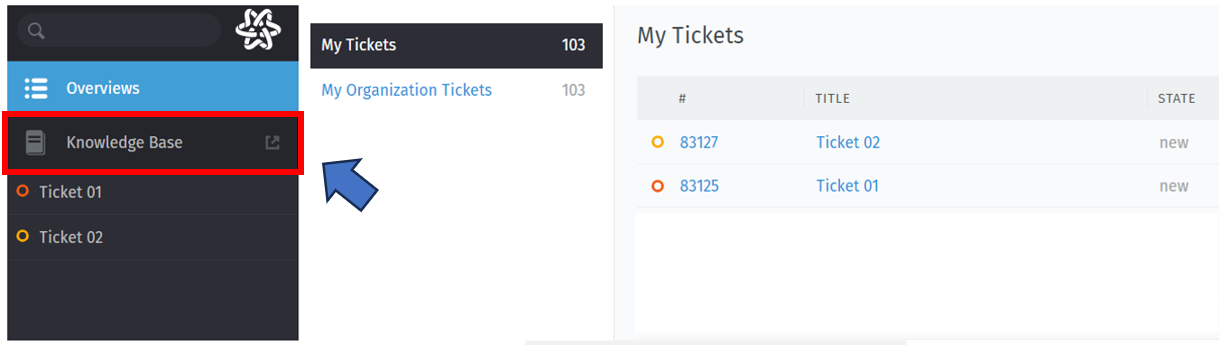
<span lang="EN-US" style="mso-ansi-language: EN-US;">Customers can directly access the Knowledge Base by clicking on the "Knowledge Base" button on the left side of the platform's main page. </span>[![image.png](http://85.215.243.214:6875/uploads/images/gallery/2024-03/scaled-1680-/71himage.png)](http://85.215.243.214:6875/uploads/images/gallery/2024-03/71himage.png)

<span lang="EN-US" style="font-size: 10.0pt; line-height: 110%; font-family: 'Calibri',sans-serif; mso-ascii-theme-font: minor-latin; mso-fareast-font-family: 'Times New Roman'; mso-fareast-theme-font: minor-fareast; mso-hansi-theme-font: minor-latin; mso-bidi-font-family: 'Times New Roman'; mso-bidi-theme-font: minor-bidi; mso-ansi-language: EN-US; mso-fareast-language: EN-US; mso-bidi-language: AR-SA;">For more information on navigating the Knowledge Base repository, please refer to the document ???*How to: navigate the platform knowledge base*'</span>